Public beta is live Windows 11 · Free for your first 5,000 photos Download
Public beta · 5,000 photos

Everything Picasa did. Built for Windows 11.

A local photo manager with the features that actually matter — people, tags, albums, search, RAW and a fast grid — without the cloud machinery you never asked for.

No account No uploads Windows 11
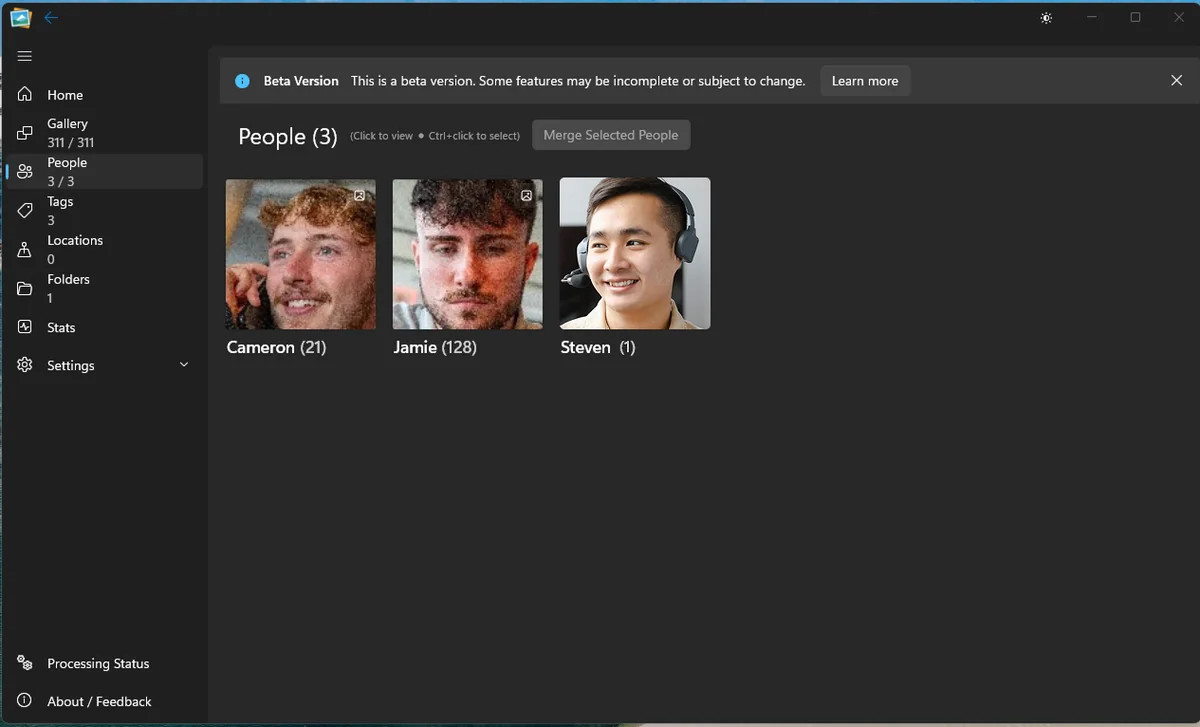
Live Gallery People view with named faces and counts

What’s inside

The daily essentials, done properly.

This is pre-release software, built in public. The feature set below is what the beta is focused on: a fast, private library that feels familiar from the first minute.

01People

The people in your photos, not ours.

Live Gallery detects and groups faces locally, with no internet connection required. Tag someone once and the app finds them across the whole library. Face data stays on your hardware.

  • Local face detection and grouping
  • Name people once, search them forever
  • No cloud face database or upload
  • Works while offline
People view in Live Gallery showing three named people and photo counts
People view · detection runs on your PC.

02Tags & albums

Organisation that outlives the app.

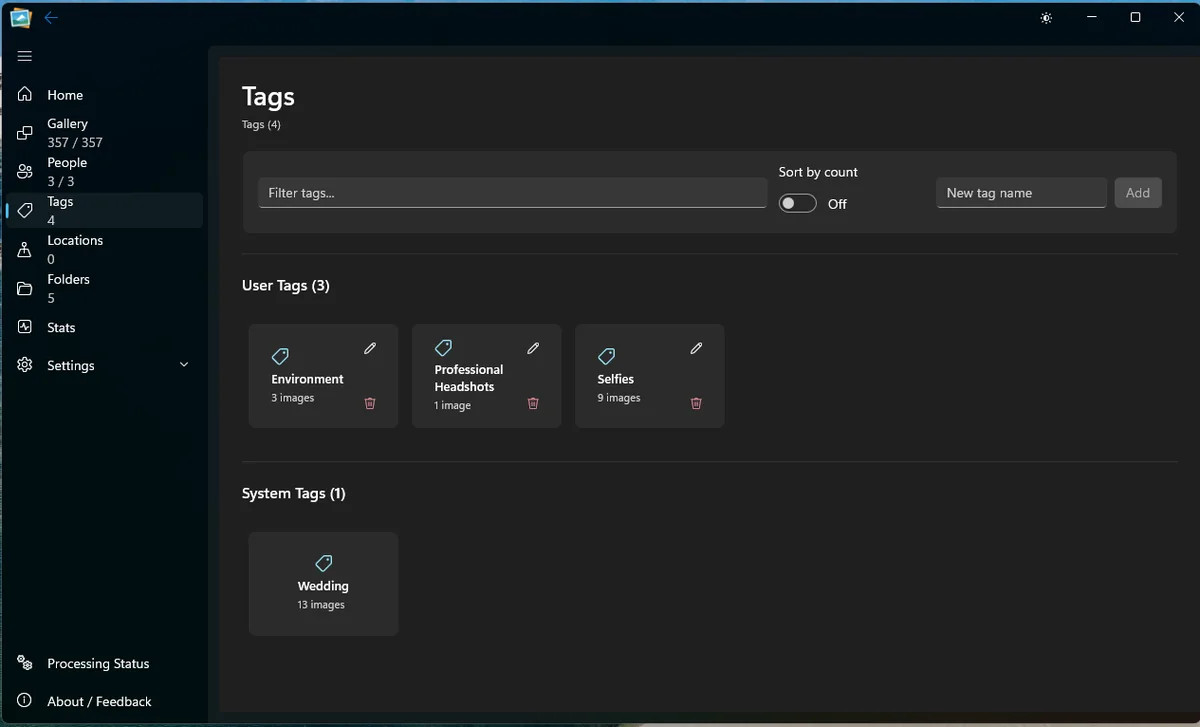
Tags, albums, star ratings and folders all work as first-class ways to organise. Keep a simple system or build a detailed one; either way, the library stays readable and yours.

  • Tags with image counts and filtering
  • Albums and folders for structure
  • Star ratings for quick sorting
  • Reads existing metadata where available
Tags view in Live Gallery with user and system tags
Tags view · user and system tags together.

03Search

Type a name. See the memory.

Filter by date, tag, person, folder or album. Because the index is local, results appear immediately instead of waiting for a server to answer.

  • Instant local filtering
  • Combine people, tags and folders
  • Browse by year on the timeline
  • No loading screen between views
Search is local, so the results do not need a round trip.

04Appearance

At home in Windows 11.

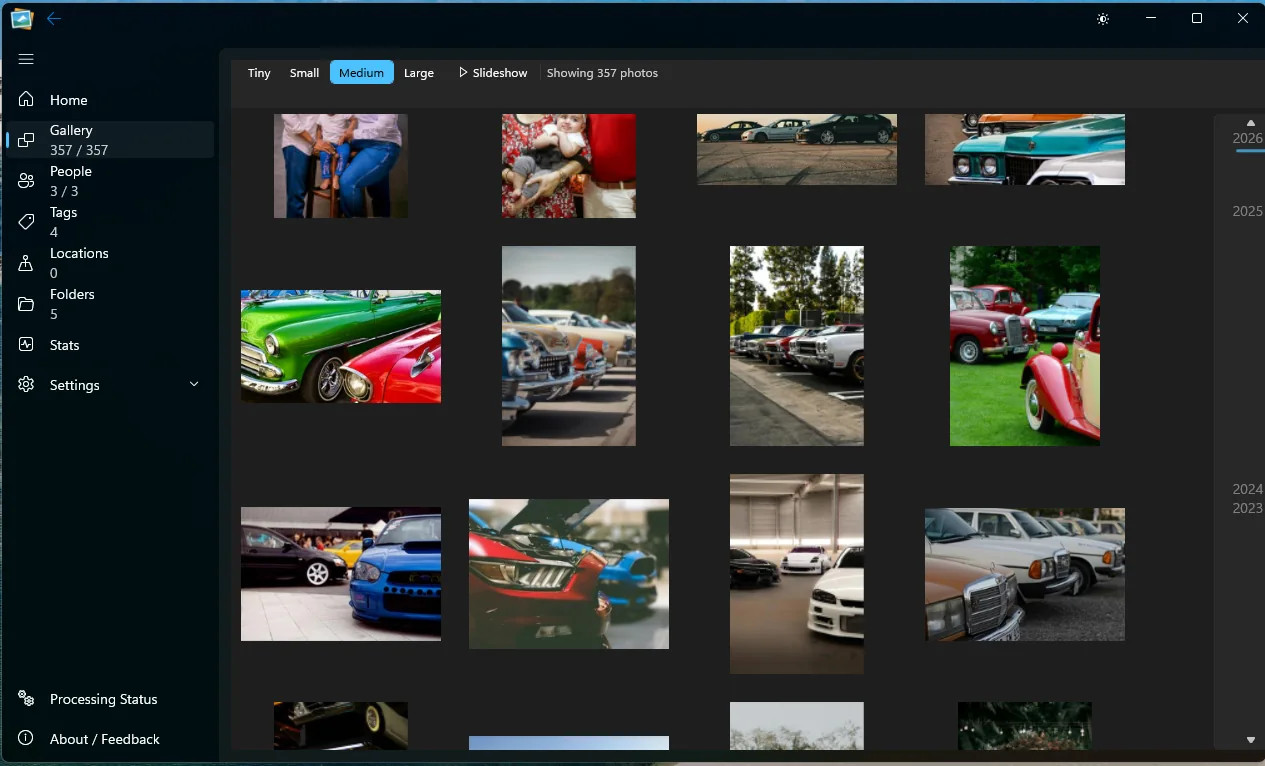
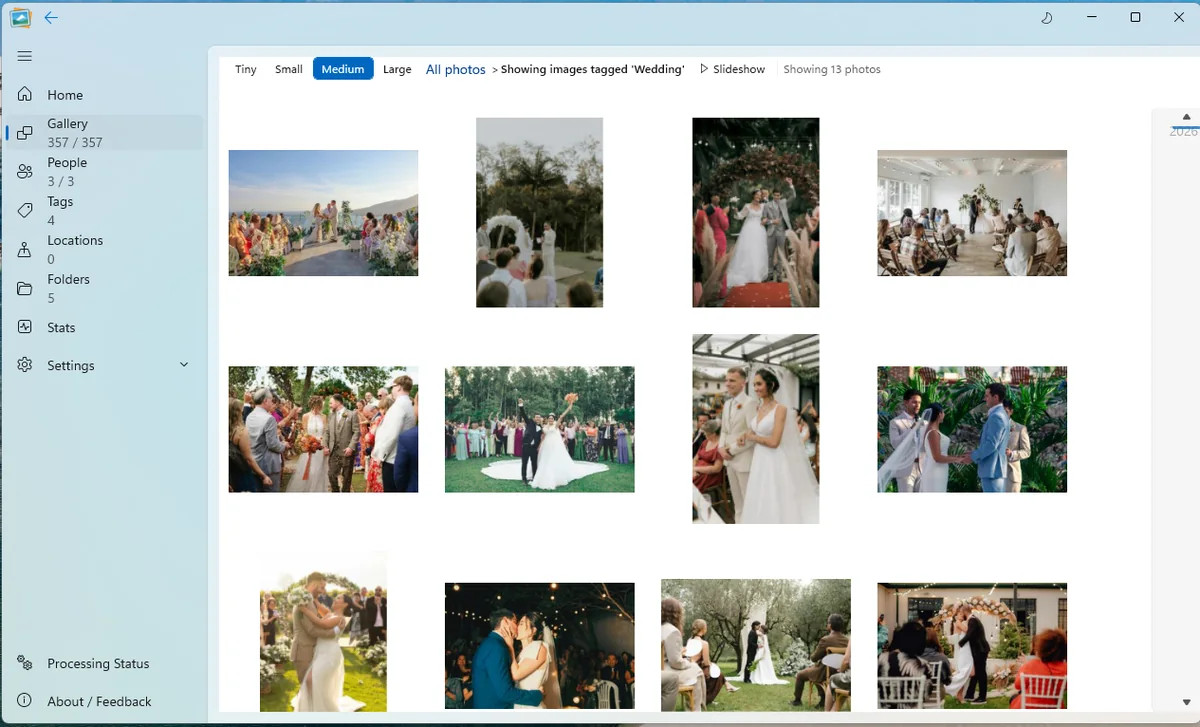
Built natively for Windows 11 with light and dark modes and Mica material support. The app picks up the visual tone of your desktop instead of imposing its own.

  • Light and dark themes
  • Mica materials on Windows 11
  • Thumbnail sizes from tiny to large
  • Full-screen and slideshow views
Live Gallery in dark mode showing a grid of car photographs
Dark mode · Mica picks up the desktop.

05Formats

RAW, HEIC, JPEG. Together.

A real library is never one format. Live Gallery reads RAW from major camera manufacturers, HEIC from modern phones and the older formats sitting at the back of your archive.

JPEGRAWHEICPNGWebPBMPTIFF

See the full format list

Live Gallery showing a mixed library of photos
One library · every format in the folder.

06Clean-up

Find the copies. Keep the keeper.

Duplicate finding helps you see repeated files and clean up the library without losing the version you meant to keep. Exact duplicates are excluded from your image count.

  • Duplicate detection built in
  • Clear review before anything is removed
  • RAW+JPEG pairs count as one asset
  • Works inside the local library
Duplicate finding view in Live Gallery with storage charts
Duplicate review · understand what is taking up room.

Privacy, not a setting

Your photos never leave the room.

Live Gallery is local software, not a service. There is no account, no sync layer and no server-side scan. The app makes no external connections during normal use; your library is read and indexed on your machine.

No uploadsPhotos stay on your drive.
Local recognitionFace grouping runs on your hardware.
Works offlineNo connection needed to browse.
No telemetryNo usage data sent from the app.

Still in beta

Good enough to use. Honest about what’s next.

The beta is capped at 5,000 images while performance and stability are refined. Some areas are unfinished, and we publish the rough edges rather than hiding them. Your feedback directly shapes what gets fixed next.

Try the beta

See your library
the local way.

Download the free beta, point it at a folder and browse. No account, no upload, no card.

Windows 11 · Free 5,000-photo beta · No account needed